
Visa Credit Card Activation Instructions
APGFCU® Visa® Credit Card Activation
Activate your APGFCU Visa credit card easily and quickly through our Online and Mobile Banking.
Instructions
- Sign in to APGFCU Online Banking or the Mobile App.
- Navigate to Card Manager.
- Look for your new credit card and select it.
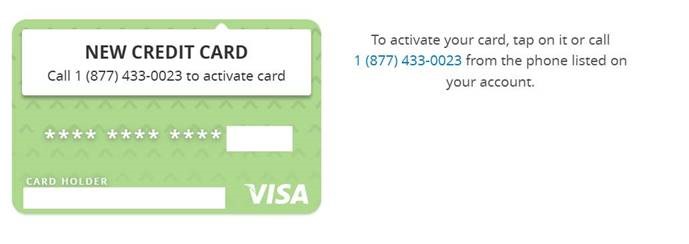
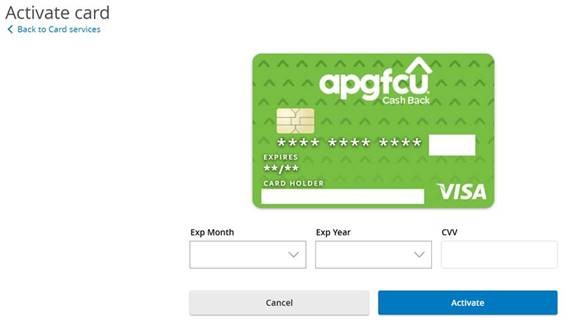
- Provide the expiration month, year and CVV to activate your new credit card.
If you are unable to activate your new credit card through Online Banking or the Mobile App, please call 1-877-433-0023. This number should match the phone number listed on the sticker label of your new credit card.
Not enrolled in Online and Mobile Banking?
If you're not enrolled in Online and Mobile Banking, you can easily sign up to activate your card and manage your accounts online.